Missouri State University

Requirements, services and costs

The quality and extent of services a University offers relates greatly to the costs associated with this infrastructure. Universities also vary tremendously in the ways they charge for these services.

To evaluate the benefits received, and to be able to directly compare costs, you'll need answers to these questions:

Fees and expenses

4.1 What, if any technology fee is charged by the campus? What does it cover?

The University charges all students a computer usage fee. This fee directly funds University computers, printers, software, and computer labs supplies primarily used by students. It also funds computer lab support personnel and other resources. The fee varies depending on the number of hours taken and campus attended.

4.2 Will you be required to purchase your own computer?

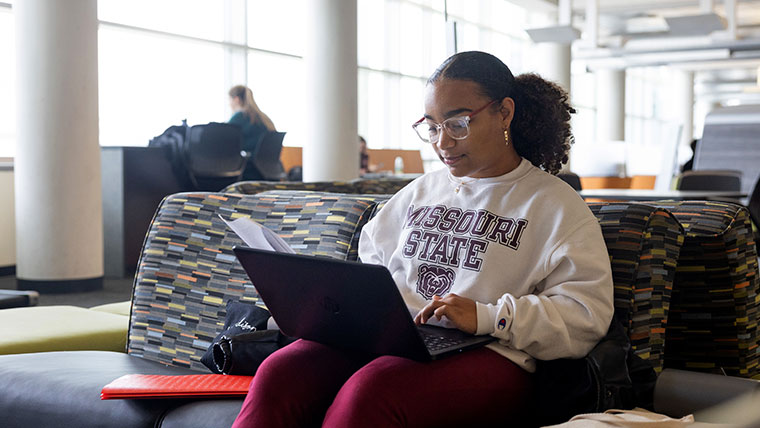
It is not necessary for students to purchase computers. Several computer labs are available for student use across campus, some open 24 hours a day. Missouri State works with vendors to provide student discounts on computers and accessories if they do wish to purchase a personal computer.

4.3 Does the campus make computing and network access financially accessible? Is special student pricing offered for computers and peripheral equipment?

By charging a nominal student computer usage fee, the university provides a variety of computer hardware and software resources for student use.  The breath and depth of these resources provided exceeds what students could provide individually at this cost level. By sharing resources, the students get "more bang for their buck."

Missouri State University works with vendors to provide discounts to students, faculty or staff members who wish to purchase a computer for personal use. Discounts on Dell computers are available any day of the year. See the Dell Student/Employee Site site for current pricing. The Missouri State Bookstore, an authorized Apple Education Reseller also sells Macintosh computers at a discount. Visit the Missouri State Bookstore for more details on Macintosh computers.

4.4 Does the campus assess extra fees for network connections in residence hall rooms or for off-campus access?

The university provides network connections in all residence hall rooms at no additional cost to   the student. Also, the University provides free dialup access to its off-campus students, providing accessibility to campus resources and the Internet. Wireless access fees are covered by the Student Computer Usage Fee (SCUF). 

Technical support

4.5 What hardware and software standards, if any does the campus require, recommend and/or support?

Missouri State hardware and software recommendations, as well as availability, are listed and regularly updated at the Help Desk website.

Supported hardware includes both PC and Apple systems, mobile devices such as smartphones and PDAs, as well as a wide range of peripheral devices. Software operating systems include Windows, Mac OS X, and several Linux distributions. A wide variety of application software is supported across these operating systems.

4.6 What kinds of services (help desk, training, troubleshooting) are provided by the campus, and when are they available?

Computer Services provides extensive software, and limited hardware support through the Computer Services Help Desk and the Open-Access Computer Labs. Support is available in person by visiting these facilities, or through the Help Desk website.   Students living in residence halls have access to the free computer support help desk, known as ResNET from 8am-5pm, Monday-Friday for troubleshooting and help with their personal PC.

4.7 Does the campus have a plan for keeping its hardware and software current, and if so what is the replacement cycle?

In an effort to provide the newest technologies to the students, Missouri State works to keep all of their hardware and software up-to-date. The university adheres to a three-year replacement cycle for all computers and printers. Software is updated about every two years.

4.8 If you bring your own computer to school, what kind of technical support can you expect from the campus?

For students in the Residence Halls:

  • Residence Life provides its own free computer assistance (ResNET) to assist students in the halls who bring their own equipment.
  • In addition, Residence Life employs its own User Support Specialist to assist students and staff.

For those students who bring their laptop computers on campus, Missouri State offers extensive software and limited hardware support through the open-access computer labs.  

Other services

4.9 How does the campus support printing for students, and is there a charge for this service?

Printing is supported in all open-access computer labs, most departmental labs and all residence hall labs. Printing in the open-access computer labs and most departmental labs is funded through the student computer usage fee (SCUF). Residence hall labs provide 1000 pages of printing for free. Additional pages can be purchased at a rate of $5 per one hundred pages.

4.10 Does the campus provide wireless network coverage? If so, how much of the campus has wireless connectivity?

Missouri State University provides wireless network coverage to give their students, faculty and staff increased flexibility and mobility for Internet access. The network can be accessed in designated sections of residence halls, dining halls, academic buildings, certain outside locations and other building such as Hammons Student Center.